How to deliver photos to clients: a shared folder vs. a proper gallery
Most of us send finished shoots through Google Drive, WeTransfer or Dropbox because they’re already there. They work, but they were built for files, not for clients. Here’s what a client gallery does differently, and what it saves you.
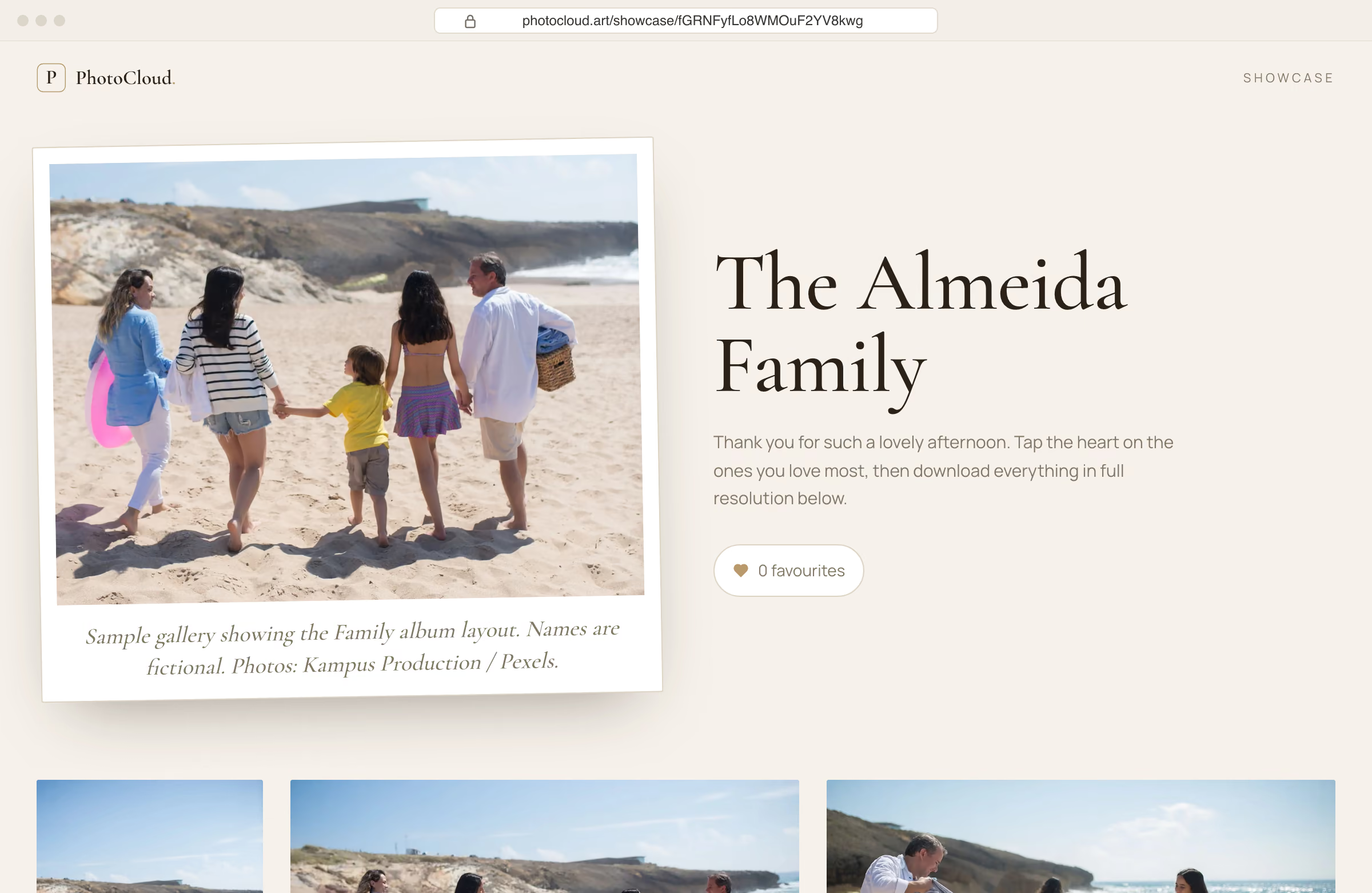
You spent the day shooting and the week editing. Then the work leaves your hands as a link to a folder called “Final_v2”, full of files named IMG_4821.jpg.
To you, that’s the boring last step. To your client, it’s the first time they see the photos they paid for. They didn’t watch you cull two thousand frames or fix the white balance at midnight. They open the link on their phone, probably in between other things, and that first look shapes how they remember the whole shoot.
Below we go through the tools photographers usually rely on to send photos to clients, where each one falls short, and why an online client gallery is worth switching to for paid work.
How photographers usually send photos to clients
Very few of us actually choose a delivery tool. We start with whatever is already on the laptop, and it sticks.
Google Drive
Everyone has it, and you get 15 GB free. But clients land in a file browser, big JPEGs preview slowly, and favourites come back as a list of filenames in a message.
WeTransfer
Quick, and the client doesn’t need an account. The catch: free links expire after a few days, and clients get a list of files to download instead of a gallery.
Dropbox
Solid storage, though the free 2 GB won’t hold a single wedding. Everything is organised around files, and the only way to flag a favourite is a comment.
iCloud & Google Photos
Lovely on a phone. But until iOS 27 and macOS 27, iCloud shared albums stored a copy rather than the original file, and once saved, your photos sit in the client’s camera roll with no sign of who took them.
Email & messengers
Great for a sneak peek the evening after the shoot. For the full set, not so much: images get compressed or hit size limits, and a week later they’re buried in the chat.
USB & physical media
Feels special when you hand it over. After that it’s a courier or a trip, and plenty of clients no longer have a laptop with the right port.
All of them are fine at moving files from A to B. None of them was built to show off the work, collect the client’s picks, and still be there a year later.

Why professional photo delivery matters
The first look sets the tone
The same portrait feels different full-screen on a clean page than as a thumbnail next to “14.2 MB”. We fuss over paper stock for prints and albums. Most clients see the photos on a screen first, so the screen deserves some of that attention too.
Picking favourites should be easy
If you’ve ever done proofing over Drive, you know how it goes: screenshots, filenames pasted into WhatsApp, and “the one where grandma is laughing, I think it’s near the end”. In a gallery the client taps a heart and you get a tidy list. Our guide to running a client proofing gallery covers how many proofs to show and how to set a deadline.
Privacy is part of the service
Family photos, kids, corporate headshots that aren’t public yet. A private, password-protected gallery shows clients you treat their photos as carefully as they do.
A good gallery brings referrals
People happily forward a nice gallery to parents, friends and colleagues. Nobody forwards a Drive folder. When a couple sends their wedding gallery to forty relatives, your name goes along with it.
- 01Gets a link to a folder by email
- 02FrictionOpens it on a phone: a list of filenames
- 03FrictionWaits for previews to load one by one
- 04FrictionScreenshots favourites, types filenames into chat
- 05Your timeYou match names to files, edit, upload a new folder
- 06FrictionA second link arrives. The first one has expired.
- 07Plans to download the ZIP on a laptop later, and sometimes never does
Four friction points, two links, and a client who may never download the finals.
Google Drive vs WeTransfer vs Dropbox vs a client gallery
Here’s how the usual options compare on the things clients actually notice.
| Google Drive | WeTransfer | Dropbox | iCloud / Photos | PhotoCloud | |
|---|---|---|---|---|---|
| Built to present photos | File previews | No | File previews | Album view | ✓ 5 layouts |
| Client marks favourites | Comments only | No | Comments only | Likes, not tracked | ✓ One tap, tracked |
| Proofs and finals in one link | Manual folders | No | Manual folders | No | ✓ Starter |
| Full-resolution delivery | ✓ | ✓ | ✓ | iCloud: from iOS 27 | ✓ |
| Password-protected link | No | ✓ | Paid | No | ✓ Starter |
| Link stays available | ✓ | Expires on free | ✓ | ✓ | ✓ |
| Your own branded page | No | Paid | Paid | No | ✓ (portfolio site on Starter) |
| Free tier | 15 GB shared | Per-transfer limits | 2 GB | 5 GB / 15 GB | 10 GB, unlimited galleries |
Standard plan features as of November 2026. Third-party plans change; check each service for current details.
What file sharing really costs you
The subscription is the small part. The bigger cost is the admin around it: matching filenames to edits, re-uploading folders, resending links that expired, and answering “sorry, where do I download?”. Plug in your own numbers.
You save about €128 a month, or 4.3 hours you could spend shooting.
How PhotoCloud handles client delivery
We built PhotoCloud to replace that patchwork with one link. You upload the proofs and send the client a private gallery. They open it on any device, no account needed, and mark favourites as they go. Their picks show up in your dashboard. Once the retouching is done, you upload the finals to the same gallery, and the client downloads single photos or the whole set as a ZIP.
Each gallery gets a layout made for the occasion, and you can change it whenever you like without changing the link. Already using a gallery service and comparing? See our honest Pixieset alternative comparison. Delivering a wedding? Our guide on how to deliver wedding photos covers the sneak peek, the album selection and a separate guest gallery.
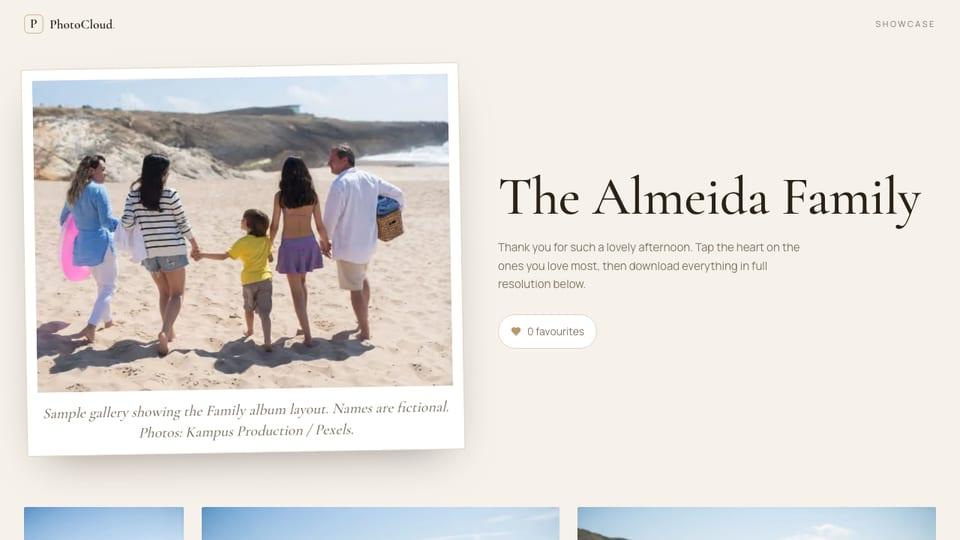

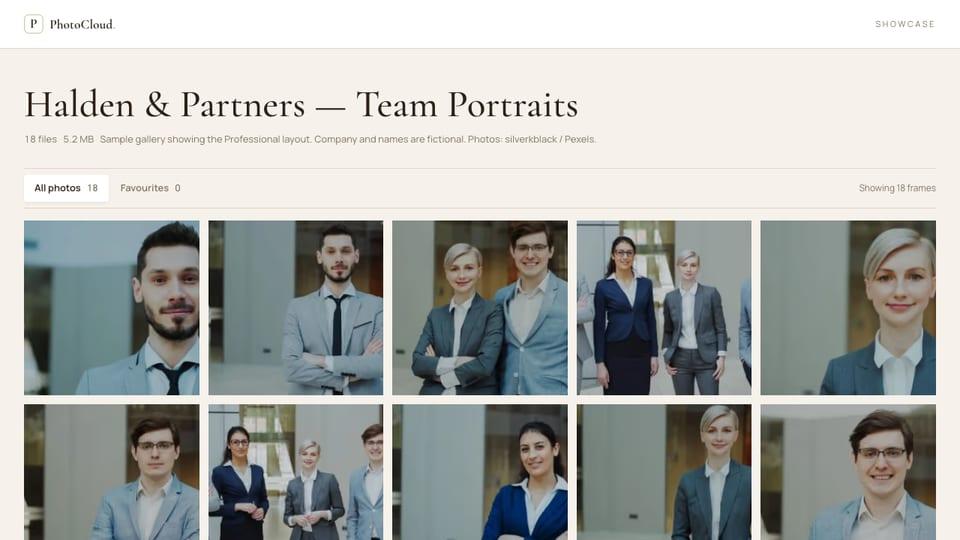
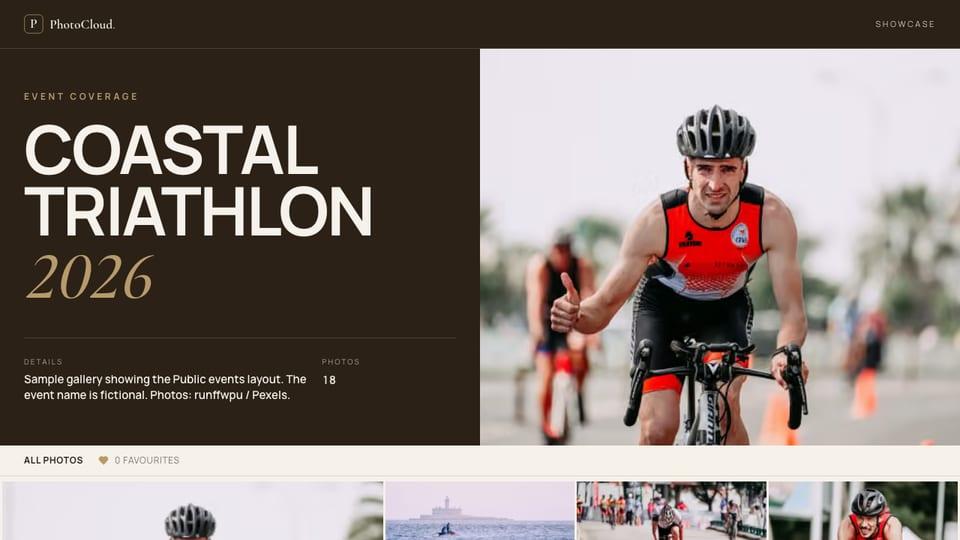
Prices exclude VAT. Cancel any time. Compare plans in detail.
When Drive and WeTransfer are still the right tool
Cloud storage still has its place. Drive or Dropbox are the right home for backups and for sending RAWs to a retoucher, and WeTransfer is handy for a one-off video file. That just isn’t client delivery.
Clients remember a job by how it ended. A gallery that opens nicely on their phone, lets them pick favourites with a tap, and is still there when they come back next year is one of the simplest ways to make that ending a good one.
Frequently asked questions
What’s the best way to deliver photos to clients?
For paid shoots, a private online client gallery: one link where the client can see the photos properly, mark favourites and download full-resolution files.
Is Google Drive good enough for sending photos to clients?
It works for moving files. But clients see a file list rather than a gallery, and there’s no simple way for them to pick favourites or for you to protect the link with a password.
Do clients need an account to open a PhotoCloud gallery?
No. They open the link on any device and can browse, pick favourites and download without signing up.
Can I try PhotoCloud for free?
Yes. The Free plan includes unlimited galleries and 10 GB of storage. It isn’t a trial and it doesn’t expire.